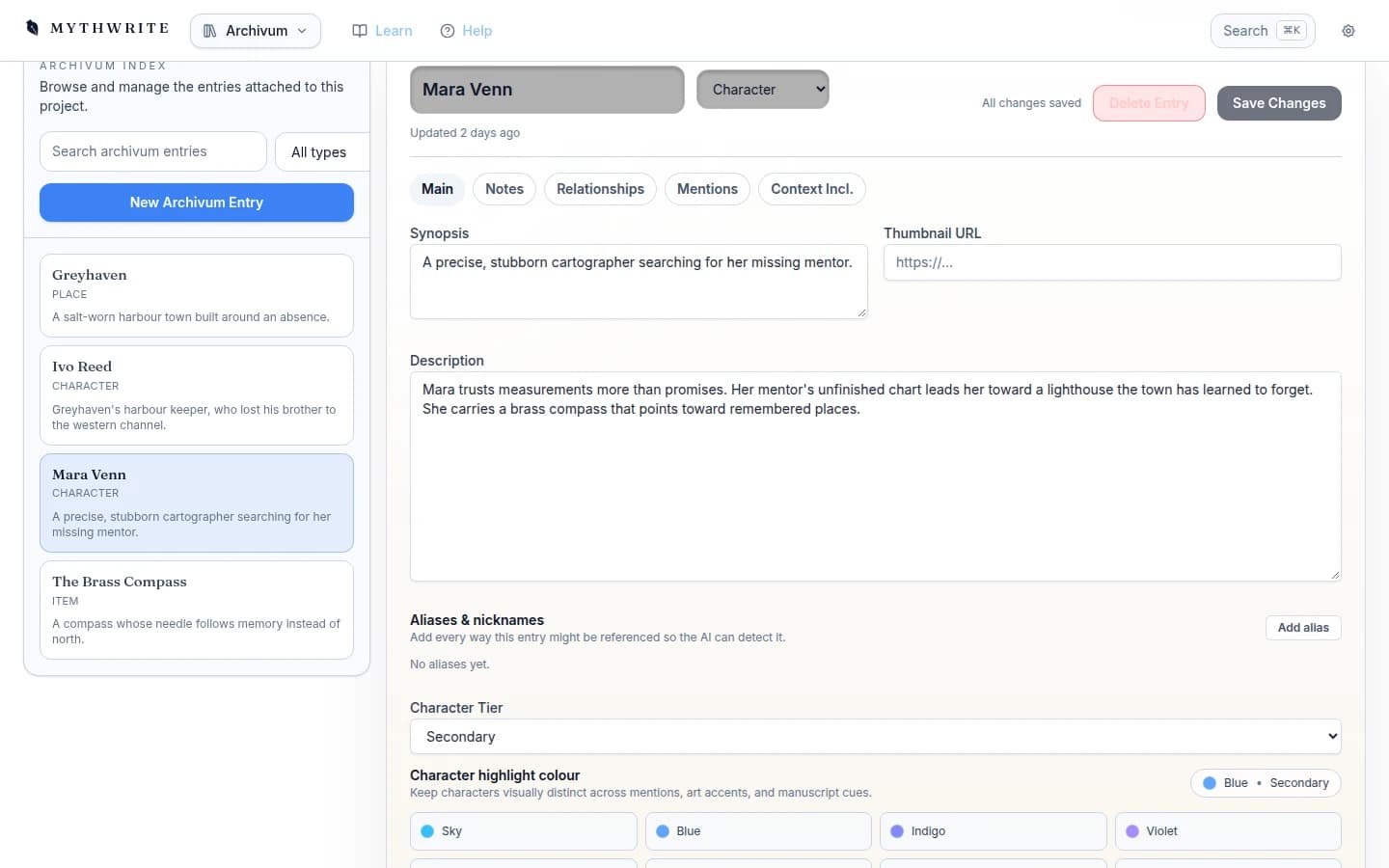
Keep your world within reach
Archivum keeps characters, places, factions, and lore organised and searchable, and feeds that context straight back into the scene you're writing.
Mythwrite November. A 30-day, 50,000-word writing challenge, or set your own goal. Find out more
Now open — 45-day free trial
From first idea to final revision, keep your manuscript and its world together — planning, drafting, proofing, and export in one workspace built for long-form fiction.
45 days free, no card required. Cancel any time.
In the studio
Your scene, outline, and story world within reach.
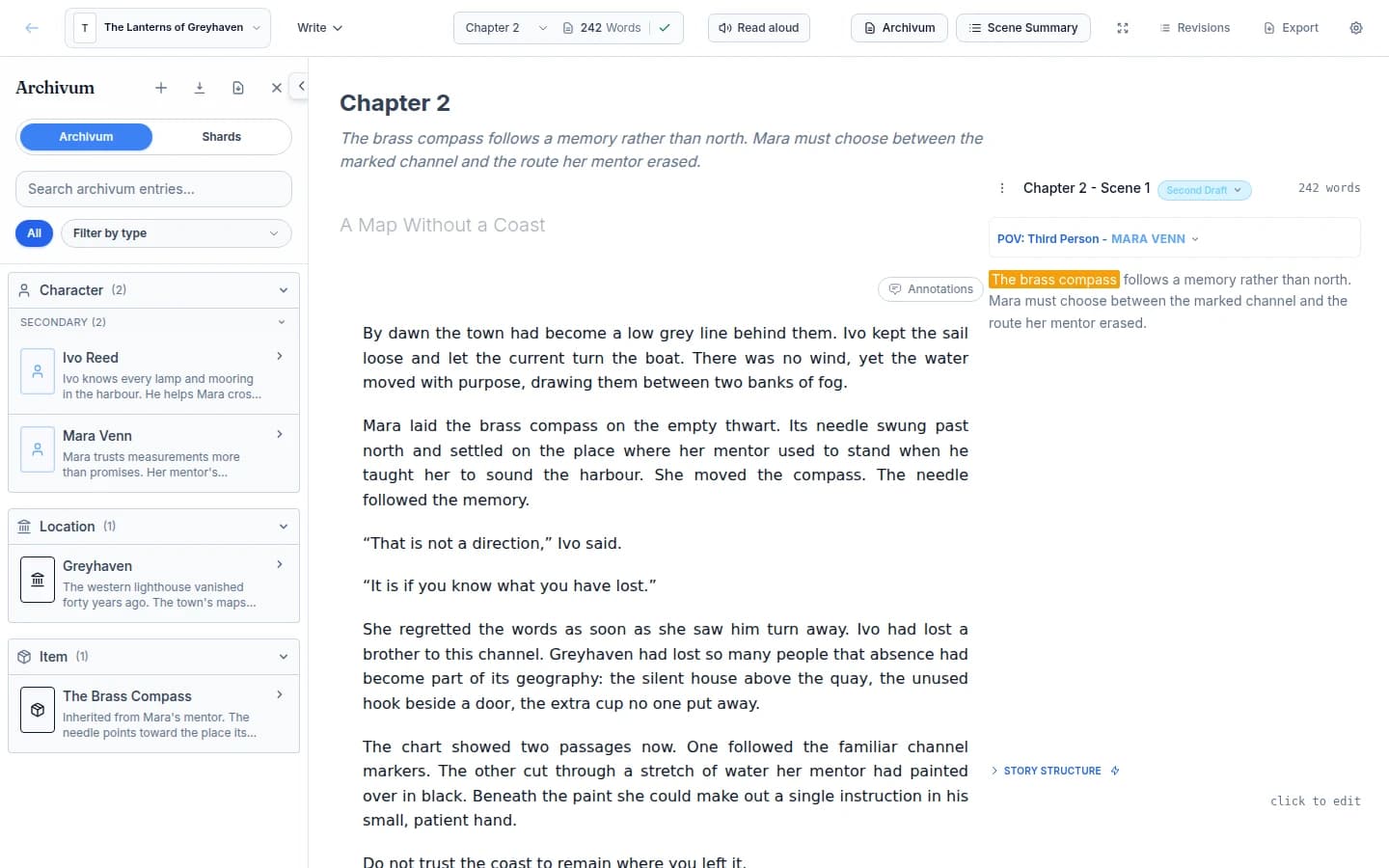
The studio at a glance
No handoffs between separate apps for planning, drafting, revising, and getting the book out the door.
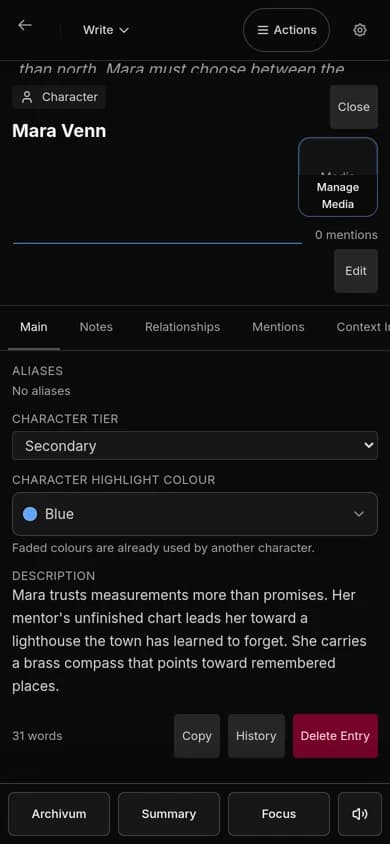
Archivum keeps characters, places, factions, and lore organised and searchable, and feeds that context straight back into the scene you're writing.
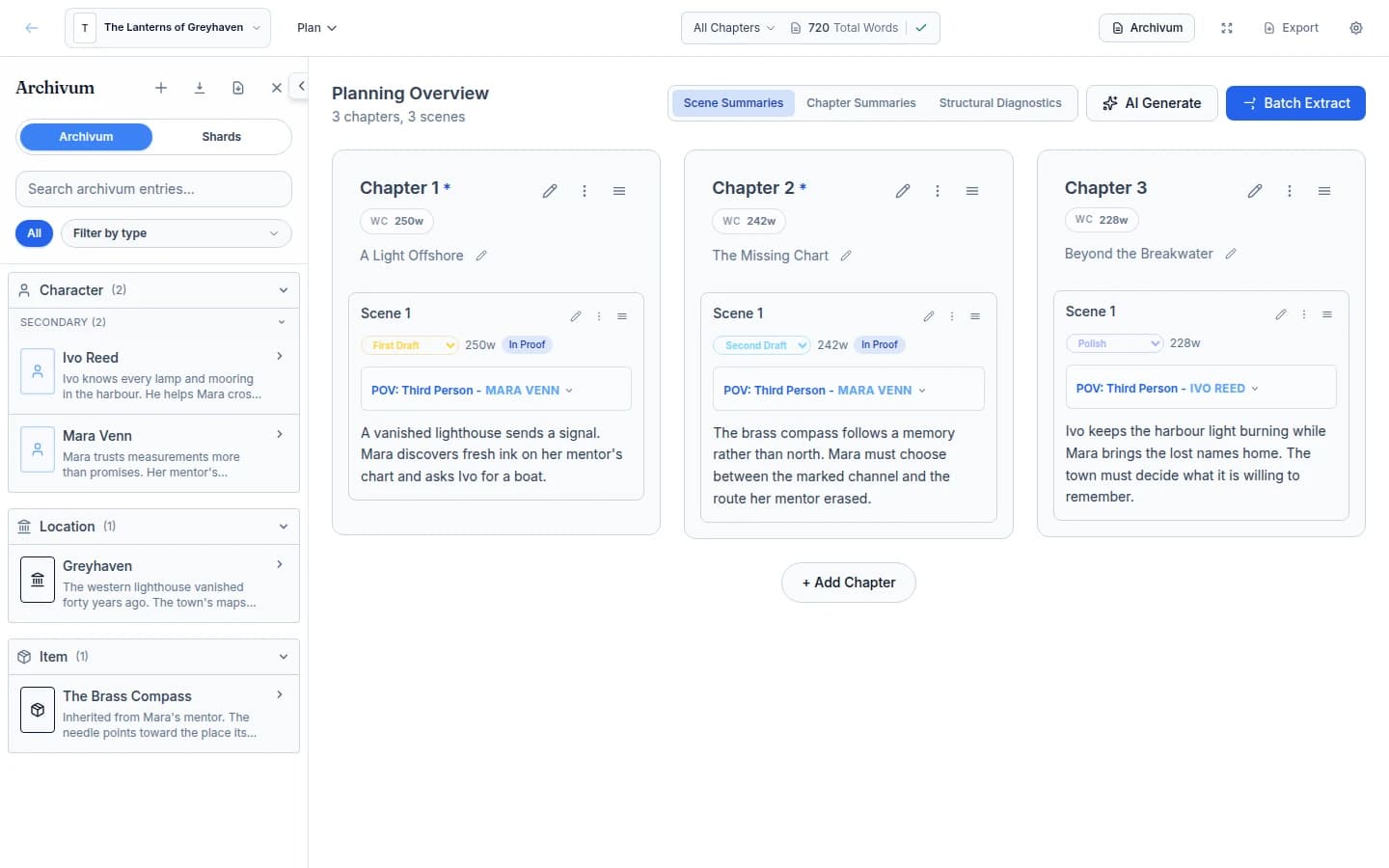
Plan at any scale — acts, chapters, beats, scene summaries — without leaving the writing workflow or losing the thread of the draft.
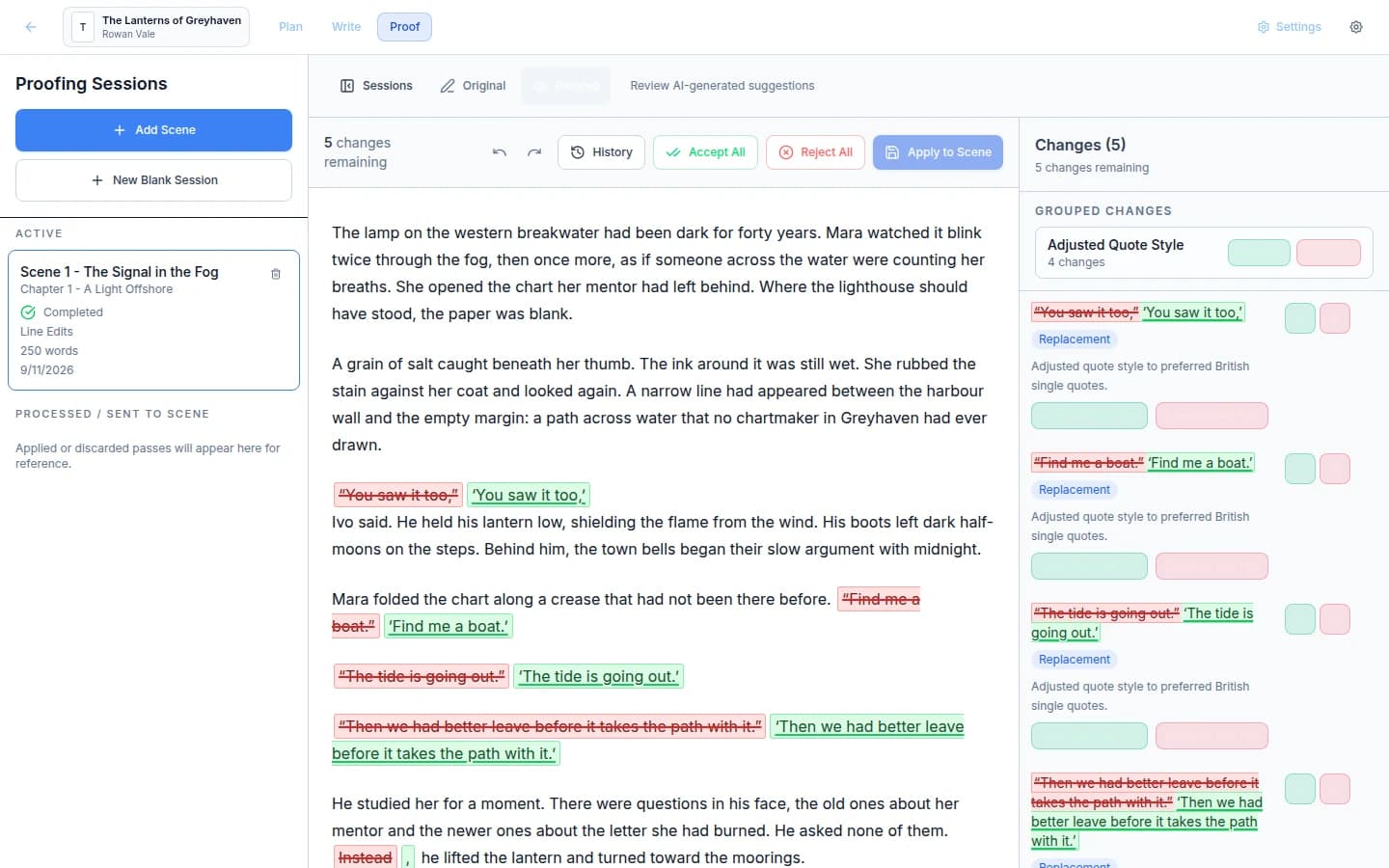
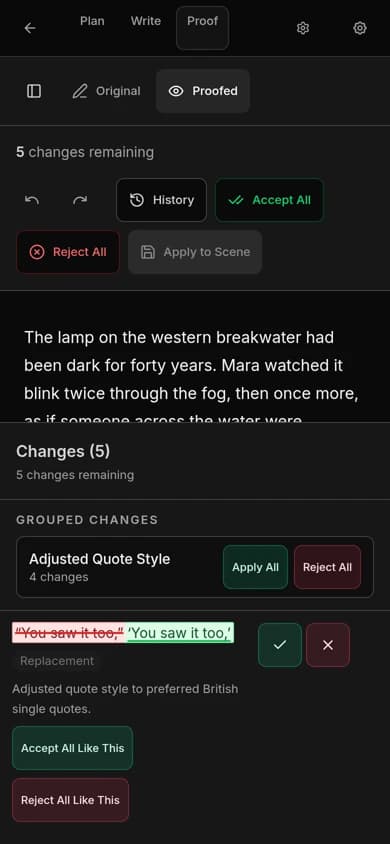
Proofing runs as a reviewable pass, not a silent rewrite. Accept or reject each change and keep a full editorial trail as the manuscript tightens.
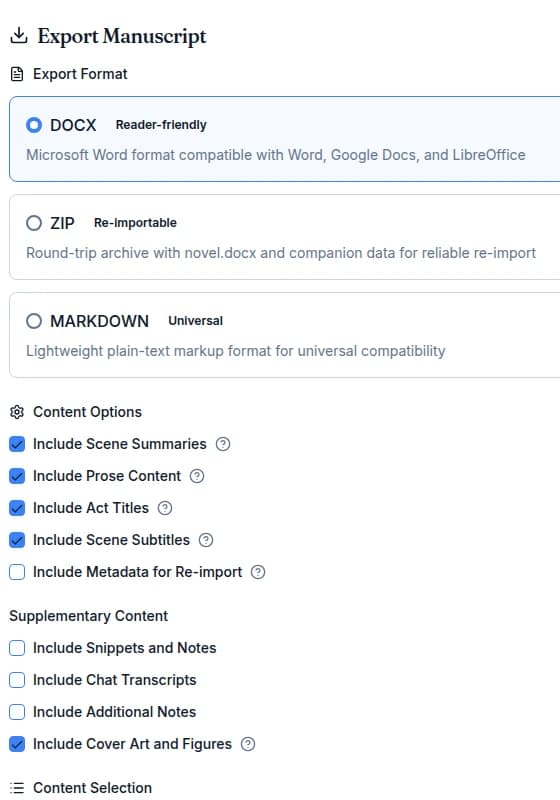
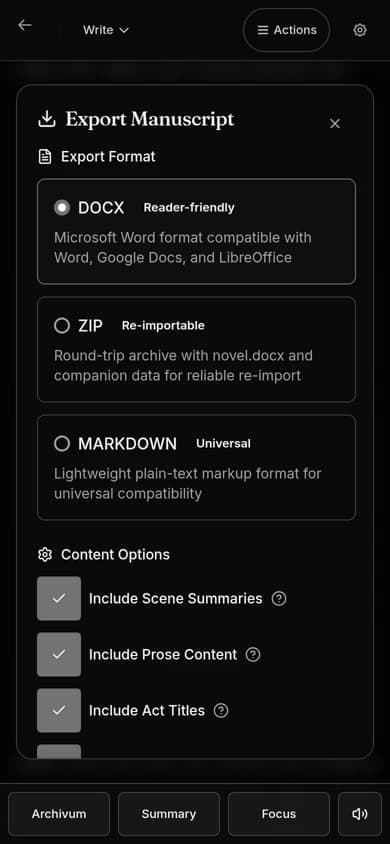
Export DOCX, Markdown or a re-importable bundle from the editor at any point, and move to print-ready PDF, EPUB or audiobook when the book is ready.
Everything in one studio
Removing the handoffs that usually break momentum as a manuscript moves toward completion.
A focused writing surface with scene navigation, chapter structure, and drafting tools that stay comfortable over long sessions.
Outline scenes and shape chapters beside the manuscript instead of in a separate app that drifts out of sync.
Characters, places, factions, items, and lore in one searchable reference that supports writing, revision, and AI context.
Run proofing passes, review every change clearly, and keep an editorial trail instead of scattered duplicate files.
Bring your own keys, choose your models, and keep AI optional. It helps when invited and stays out of the manuscript otherwise.
Generate EPUB and print-ready PDF from the same workspace, with book setup already built into the workflow.
Embed artwork directly in the manuscript with figure blocks. Captions and alt-text travel with the image into PDF, EPUB, and audiobook narration.
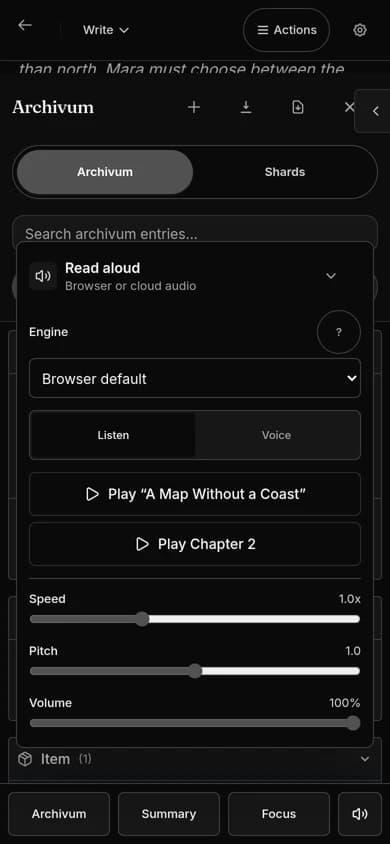
Hear the manuscript read back to catch what your eyes skip — instant free voices, or premium narration exported as a full audiobook.
Point Claude Code or Codex at a single manuscript through the built-in MCP server, with full story context and edits you review.
Who it fits
If your draft lives in one tool, your notes in another, and your export in a third, Mythwrite collapses that sprawl into one place to work.
Planning, drafting, revision, proofing, and publishing in one workspace — instead of stitching Scrivener, Word, and a layout tool together.
Tracked changes, proofing workflows, and a complete editorial trail from first draft to final polish.
Archivum keeps characters, lore, places, and factions organised and searchable across books, not just scenes.
Use AI to brainstorm, continue, or proofread — or switch it off entirely. Track AI-authored text when you want a clean final pass.
Control and trust
Bring your own keys, choose your models, and write with AI on or fully off. It never touches the manuscript uninvited.
Proofing and AI edits land as suggestions you accept or reject — never a silent rewrite of your prose.
Export to PDF, EPUB, DOCX, and Markdown whenever you want. Your work is never locked to one app.
Run proofing locally with Privacy Mode when you'd rather nothing leave your machine.
See it in action
The Write view keeps the prose in the middle, Archivum on the left and the scene's status, POV and word count on the right.
On your phone
Open the next book, review the outline and move a scene from a phone. Frequent actions stay visible, and advanced tools sit in labelled menus and sheets.
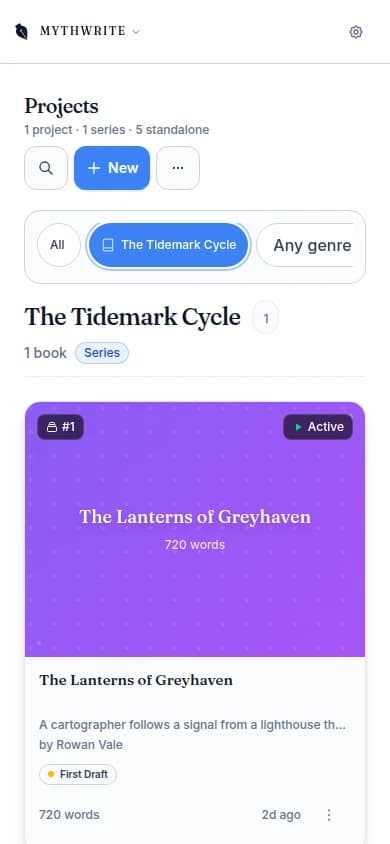
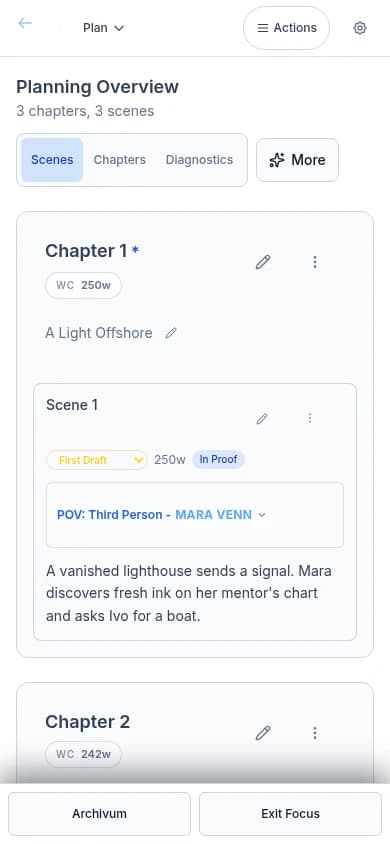
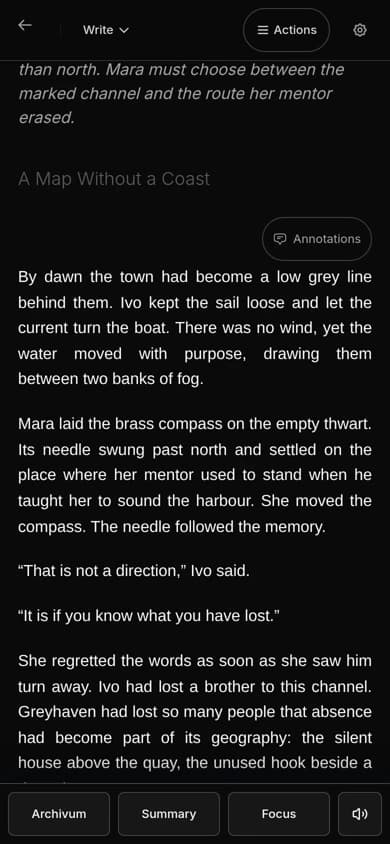
Bring a draft from Novelcrafter, Scrivener, Word, Google Docs or Atticus, and check its structure before you import.
See how to bring your bookPricing
No card required to start the trial. AI usage runs on your own provider keys, so it's billed separately by whichever provider you connect.
Creator
£7.99
per month, after your trial
Solo drafting, planning, and revision
Editor
£9.99
per month, after your trial
Everything in Creator, plus AI proofing
Publisher
£14.99
per month, after your trial
Writing, publishing, and collaboration
Questions writers ask first
Product
Mythwrite brings planning, drafting, revision, proofing, and publish-ready export into one writing workspace. It's built for long-form fiction, with a story bible and optional AI tools that stay under your control.
Trial
Every new account starts with a 45-day free trial with no card required. You get full access to try the workspace on a real manuscript before deciding on a package.
Comparison
It keeps the structural depth writers want, but removes the usual tool-hopping. Manuscript structure, revision workflows, a story bible, export, and optional AI live in one place instead of split across separate apps.
AI
Both. Bring your own keys and use AI selectively, or stay fully manual. AI is designed to remain optional rather than becoming the centre of the workflow.
AI
It helps you see exactly where AI influenced the manuscript — flagging AI-written or heavily revised passages and tracking AI word totals so you can revisit them before publication.
Archivum
The built-in story bible. It keeps characters, places, factions, items, and lore organised in one searchable reference, and can feed that context back into AI tools when needed.
Export
Print-ready PDF, reflowable EPUB, DOCX, and Markdown, with formatting controls built into the workflow so the manuscript is already moving toward release.
Format
Yes. Inline figure blocks let you drop artwork directly into a scene with a caption and alt-text. Illustrations export through to print-ready PDF and EPUB, and alt-text narrates automatically in Read Aloud and audiobook export.
Audio
Yes. Instant built-in browser voices for a quick pass, a free local AI voice that runs privately in your browser, and premium cloud narration you can stitch into a downloadable audiobook.
AI
Yes, through the built-in MCP server. Your agent works with full story context — scenes, outline, and Archivum — to draft, revise, and run proofing passes on edits you review, using a scoped API key per workspace.
45 days free, no card required. Your manuscript and its world, in one studio.
Not ready yet?
Leave your email for occasional product and pricing updates — no account required.
By submitting, you agree to our Terms and Privacy Policy. Updates include an unsubscribe link.